
How to add a manager in Raiffeisenbank: detailed instructions
Adding a beneficiary to your Raiffeisenbank account is an easy process that can be done directly from online banking. Only a Raiffeisenbank client with a valid ID card, passport or permanent residence certificate in the Czech Republic can become a beneficiary. Here is a step-by-step guide on how to do it.
Login to online banking
First, we log in to our Raiffeisenbank online banking. After logging in, our personal account will automatically be displayed. If we want to add a manager to a company account, switch to it at the top of the page.
Access to the administrator section
In the account settings, we will find the “Management of administrators” section. After clicking on “Overview”, you will see a list of current administrators, if we already have any. To add a new administrator, click on the “Add administrator” button.
Basic rules for adding a disponent
In order to add someone as a manager, they must meet several conditions:
- The disponent must be a Raiffeisenbank client.
- We will need information from their ID card, passport or permanent residence certificate.
Filling in the administrator's details
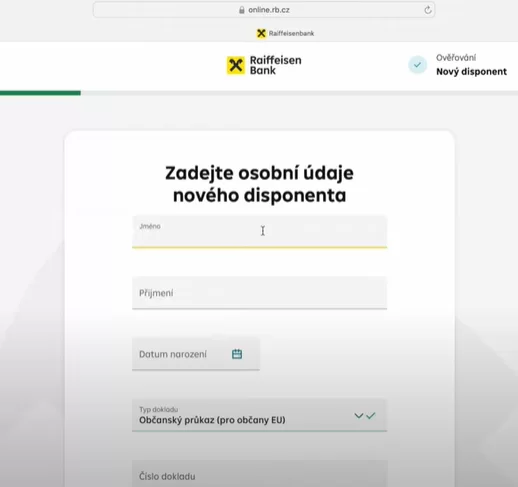
On the next page, start filling in the personal information about the owner. Select the type of document (ID card, passport, etc.) and fill in its number. Then click the “Continue” button.
Conclusion
The entire process of adding a trustee is intuitive and quick. This makes it easy for us to manage who has access to your account, both in the personal and business spheres. Remember, the trustee must meet all the requirements to be successfully added.